
Toyota Venza: System Diagram
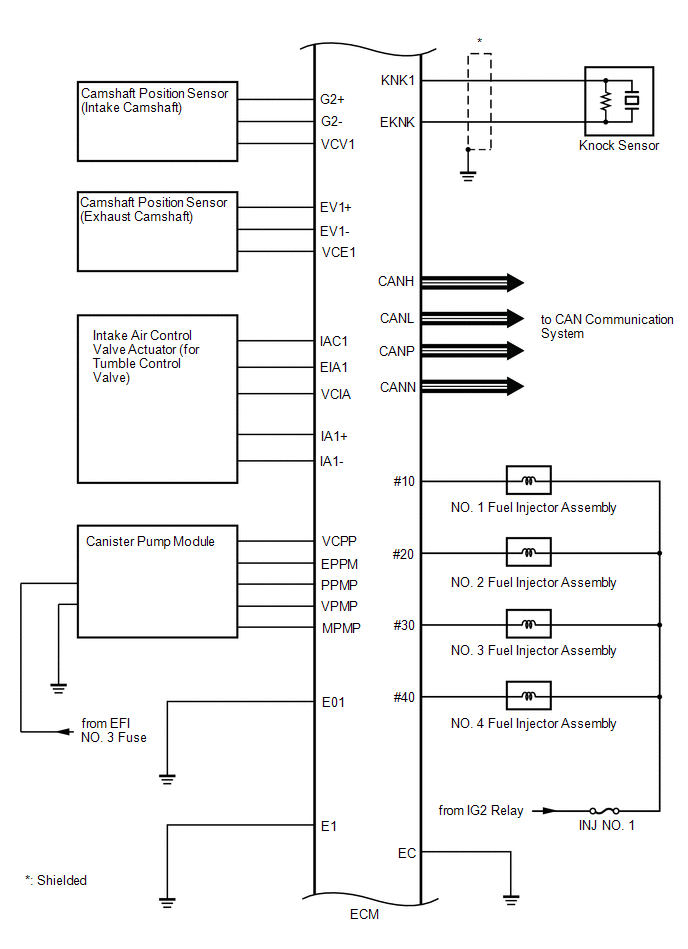
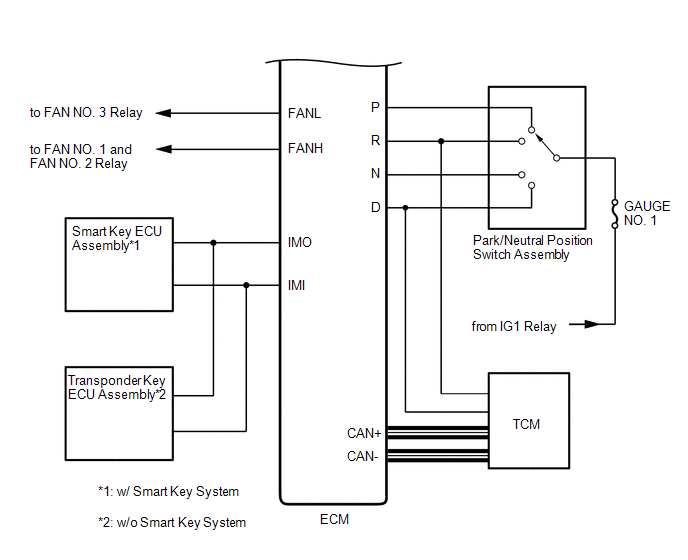
SYSTEM DIAGRAM
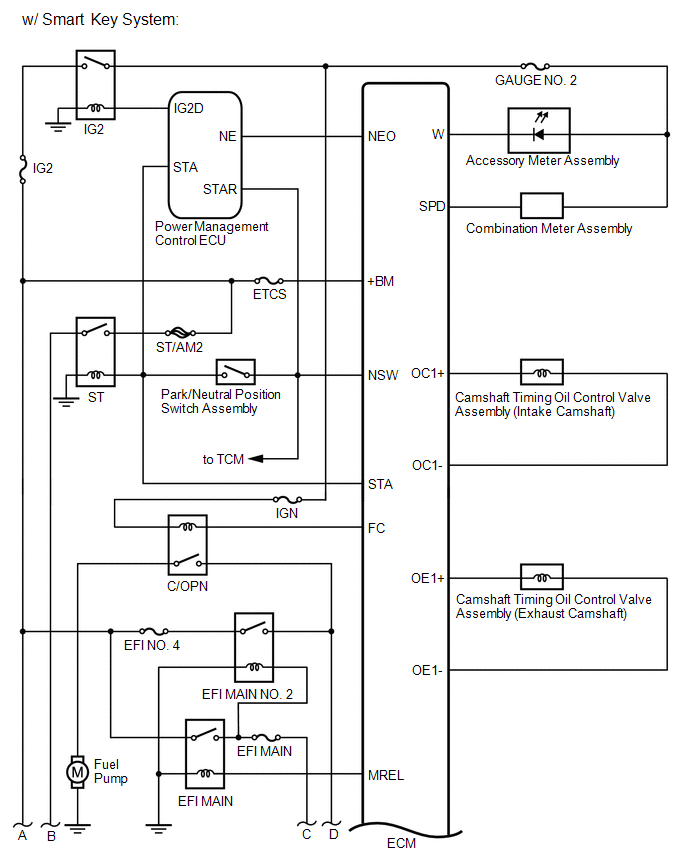
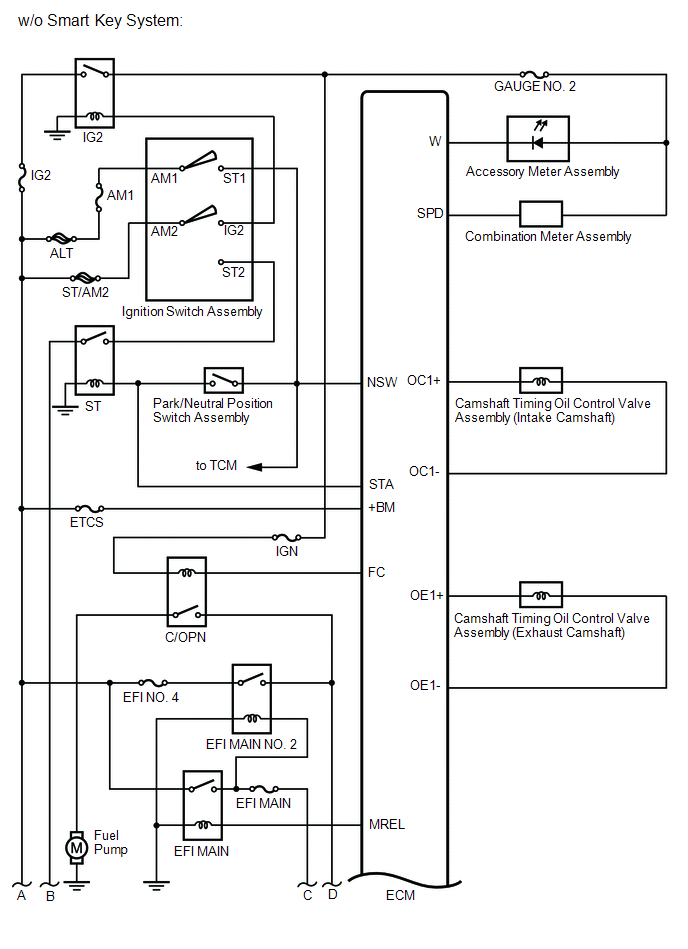
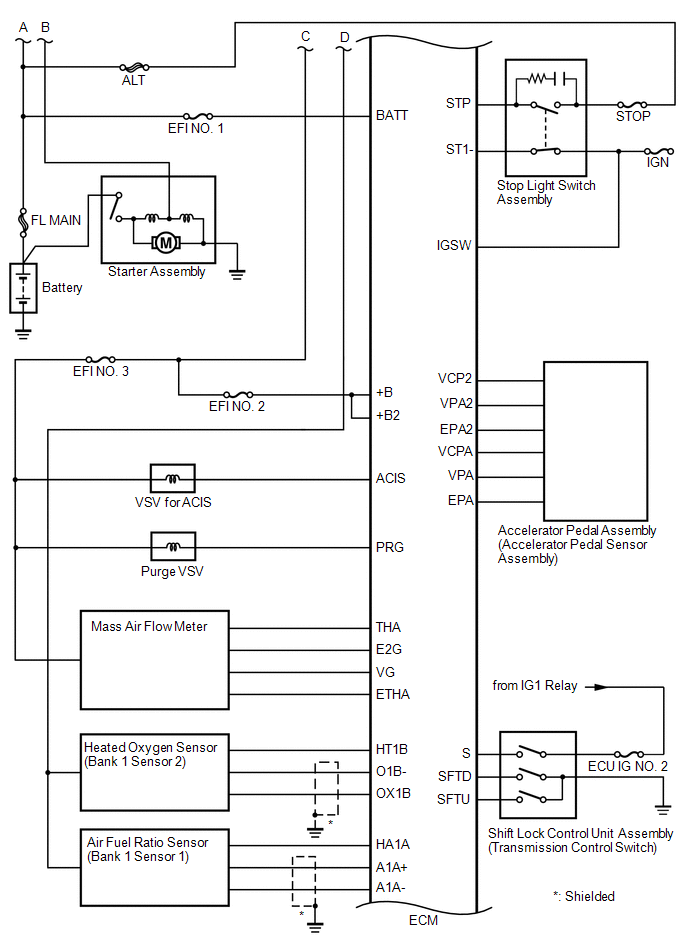
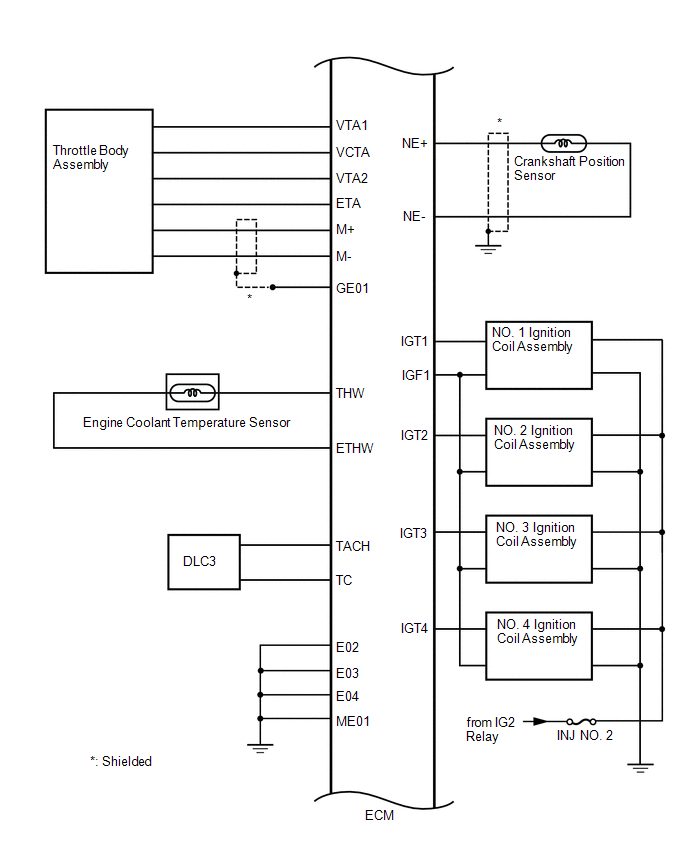
 How To Proceed With Troubleshooting
CAUTION / NOTICE / HINT
HINT:
*: Use the Techstream.
PROCEDURE
1.
VEHICLE BROUGHT TO WORKSHOP
NEXT
...
 Basic Inspection
BASIC INSPECTION
When the malfunction is not confirmed by the DTC check, troubleshooting should
be carried out in all circuits considered to be possible causes of the problem.
In many cases, by c ...
Other materials about Toyota Venza:
Cruise Control Input Processor (P1607)
MONITOR DESCRIPTION
The ECM continuously monitors its main and sub CPUs while cruise control is operating.
This self-check ensures that the ECM is functioning properly. If outputs from the
CPUs are different and deviate from the standard, the ECM illumina ...
Problem Symptoms Table
PROBLEM SYMPTOMS TABLE
HINT:
Use the table below to help determine the cause of problem symptoms.
If multiple suspected areas are listed, the potential causes of the symptoms
are listed in order of probability in the "Suspected Area" ...
Installation
INSTALLATION
CAUTION / NOTICE / HINT
NOTICE:
Do not replace the spiral cable with the battery connected and the ignition
switch ON.
Do not rotate the spiral cable without the steering wheel with the battery
connected and the ignition swi ...

0.1777