
Toyota Venza: System Diagram
SYSTEM DIAGRAM
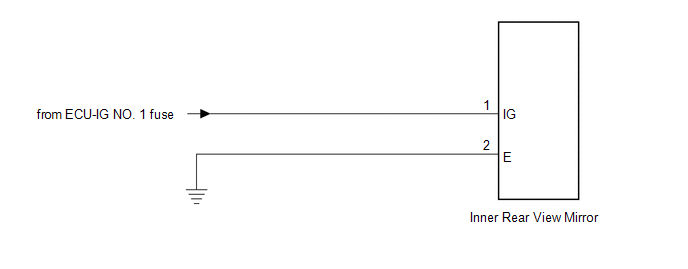
 Components
COMPONENTS
ILLUSTRATION
...
 Calibration
CALIBRATION
1. SELECT COMPASS DISPLAY MODE
(a) The AUTO switch allows selection of the compass display.
2. PERFORM CALIBRATION
(a) Because each vehicle has its own magnetic field, calibration shou ...
Other materials about Toyota Venza:
System Diagram
SYSTEM DIAGRAM
Communication Table
Sender
Receiver
Signal
Line
Main Body ECU
(Driver Side Junction Block Assembly)
Clearance Warning ECU Assembly
Destination information
...
Short in Front Pretensioner Squib RH Circuit (B1900/73-B1903/73)
DESCRIPTION
The front pretensioner squib RH circuit consists of the center airbag sensor
assembly and front seat outer belt assembly RH.
The center airbag sensor assembly uses this circuit to deploy the seat belt pretensioner
when deployment conditions a ...
Motor Circuit Malfunction (C1522-C1555)
DESCRIPTION
The power steering ECU supplies current to the power steering motor through the
motor circuit.
DTC No.
DTC Detection Condition
Trouble Area
C1522
Motor current sensor malfunction
...

0.1351