
Toyota Venza: Components
COMPONENTS
ILLUSTRATION
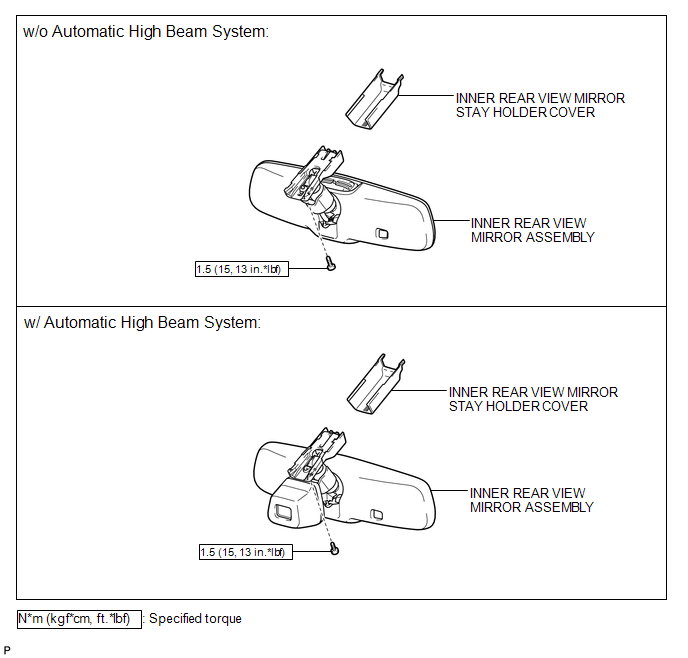

 System Diagram
SYSTEM DIAGRAM
...
Other materials about Toyota Venza:
Terminals Of Ecu
TERMINALS OF ECU
1. OCCUPANT CLASSIFICATION ECU (for Power Seat)
Terminal No. (Symbol)
Wiring Color
Terminal Description
Condition
Specification
S12-1 (+B) - S12-3 (GND)
GR ...
Tires
Replace or rotate tires in accordance with maintenance schedules and treadwear.
- Checking tires
1. New tread
2. Treadwear indicator
3. Worn tread
The location of treadwear indicators is shown by the “TWI” or “Δ” marks, etc.,
molded ...
Inspection
INSPECTION
PROCEDURE
1. INSPECT POWER WINDOW REGULATOR SWITCH ASSEMBLY (for Rear LH)
(a) Check the switch function.
(1) Measure the resistance according to the value(s) in the table below.
Standard Resistance:
Tester Co ...

0.137