
Toyota Venza: Parts Location
PARTS LOCATION
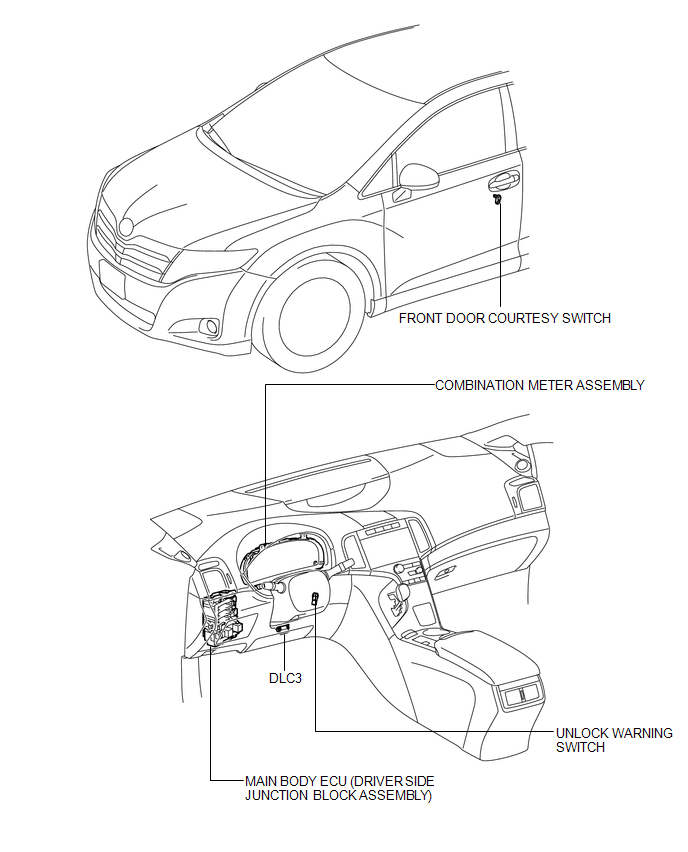
ILLUSTRATION
 Precaution
PRECAUTION
NOTICE:
When disconnecting the cable from the negative (-) battery terminal, initialize
the following systems after the cable is reconnected.
System Name
See Proc ...
 System Diagram
SYSTEM DIAGRAM
Communication Table
Sender
Receiver
Signal
Communication Method
Main Body ECU (Driver Side Junction Block Assembly)
...
Other materials about Toyota Venza:
Lubrication system
- Engine oil selection
“Toyota Genuine Motor Oil” is used in your Toyota vehicle. Use Toyota approved
“Toyota Genuine Motor Oil” or equivalent to satisfy the following grade and viscosity.
Oil grade: ILSAC GF-5 multigrade engine oil
Recomm ...
Problem Symptoms Table
PROBLEM SYMPTOMS TABLE
HINT:
Use the table below to help determine the cause of problem symptoms. If multiple
suspected areas are listed, the potential causes of the symptoms are listed in order
of probability in the "Suspected Area" column of ...
Key information
Keys
The following keys are provided with the vehicle.
►Vehicles with smart key system
1. Electronic keys
• Operating the smart key system
• Operating the wireless remote control function
2. Mechanical keys
3. Key number plate
►Veh ...

0.1184