
Toyota Venza: Radio Antenna
Components
COMPONENTS
ILLUSTRATION
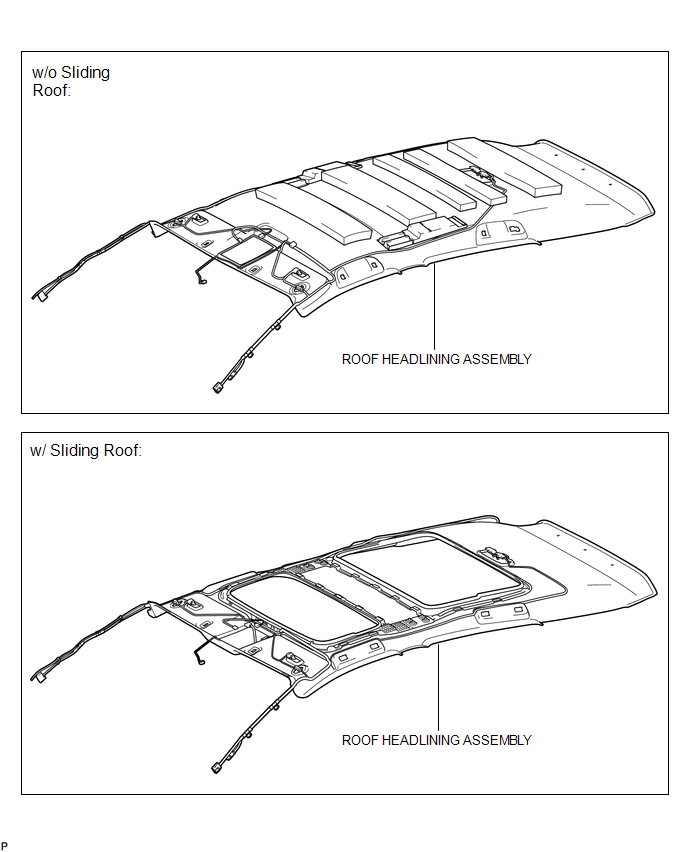
ILLUSTRATION
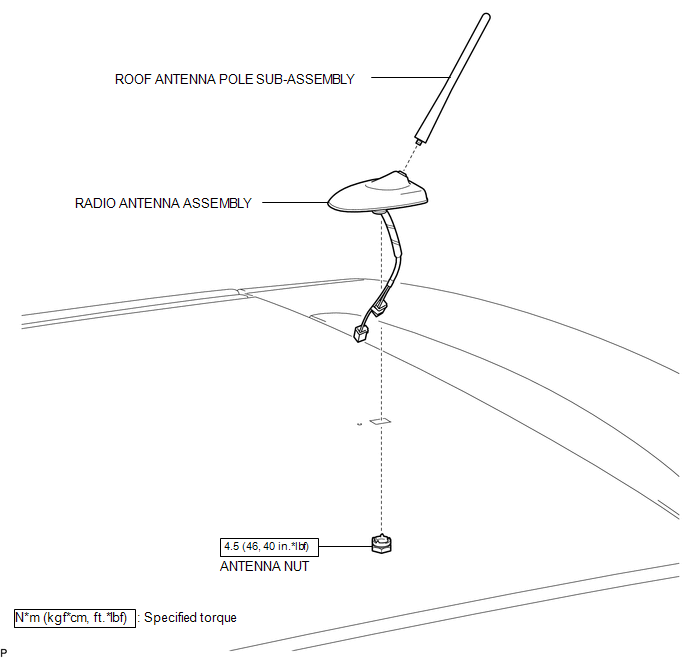
Installation
INSTALLATION
PROCEDURE
1. INSTALL RADIO ANTENNA ASSEMBLY
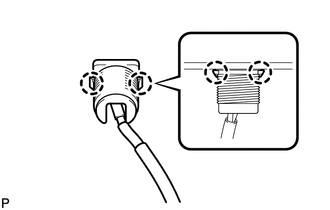
(a) Engage the 2 claws to install the radio antenna assembly.
|
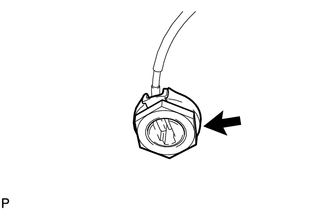
(b) Place the antenna cord in the cutout of the antenna nut. Text in Illustration
|
|
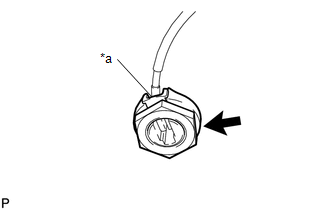
(c) Install the radio antenna assembly with the antenna nut.
Torque:
4.5 N·m {46 kgf·cm, 40 in·lbf}
(d) Connect the 2 connectors.
2. INSTALL ROOF ANTENNA POLE SUB-ASSEMBLY
3. INSTALL ROOF HEADLINING ASSEMBLY
(See page .gif) )
)
Removal
REMOVAL
PROCEDURE
1. REMOVE ROOF HEADLINING ASSEMBLY
(See page .gif) )
)
2. REMOVE ROOF ANTENNA POLE SUB-ASSEMBLY
3. REMOVE RADIO ANTENNA ASSEMBLY
|
(a) Disconnect the 2 connectors. |
|
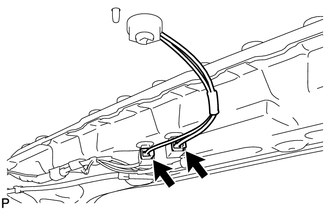
|
(b) Remove the antenna nut. |
|
|
(c) Disengage the 2 claws and remove the radio antenna assembly. |
|
 Microphone
Components
COMPONENTS
ILLUSTRATION
Removal
REMOVAL
PROCEDURE
1. REMOVE INNER REAR VIEW MIRROR STAY HOLDER COVER
2. REMOVE TELEPHONE MICROPHONE ASSEMBLY (INNER REAR VIEW MIRROR ASSEMBLY ...

Other materials about Toyota Venza:
Components
COMPONENTS
ILLUSTRATION
ILLUSTRATION
ILLUSTRATION
ILLUSTRATION
ILLUSTRATION
ILLUSTRATION
ILLUSTRATION
...
Removal
REMOVAL
PROCEDURE
1. REMOVE FRONT WHEELS
2. REMOVE FRONT STABILIZER LINK ASSEMBLY LH
(a) Remove the 2 nuts and front stabilizer link assembly LH.
HINT:
If the ball joint turns together with the nut, use a hexagon wrench (6
mm) to hold ...
Diagnostic Trouble Code Chart
DIAGNOSTIC TROUBLE CODE CHART
If a trouble code is displayed during the DTC check, check the circuit listed
for the code in the table below (refer to the appropriate page).
HINT:
When the SRS warning light remains on and the DTC output is the norm ...

0.1447