
Toyota Venza: Personal Light
Components
COMPONENTS
ILLUSTRATION
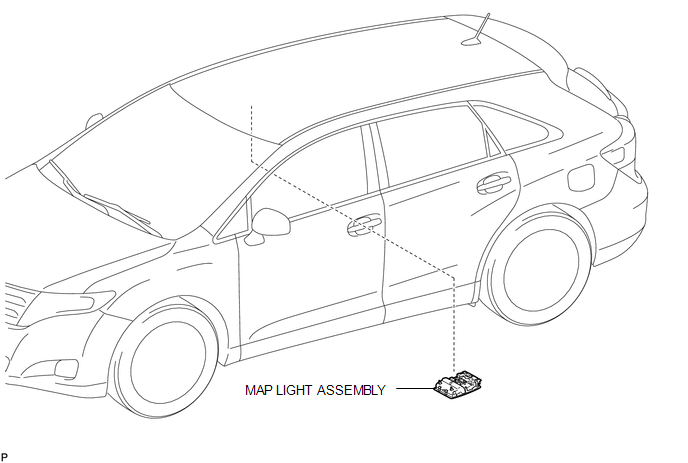
Removal
REMOVAL
PROCEDURE
1. REMOVE MAP LIGHT ASSEMBLY
|
(a) Using a moulding remover, disengage the 2 claws and 2 clips. Text in Illustration
|
|
.png)
(b) Disengage the fastener.
(c) Disconnect each connector and remove the map light assembly.
Installation
INSTALLATION
PROCEDURE
1. INSTALL MAP LIGHT ASSEMBLY
(a) Connect each connector.
|
(b) Engage the fastener. Text in Illustration
|
|
.png)
(c) Engage the 2 claws and 2 clips, and install the map light assembly.
 Luggage Compartment Room Light
Components
COMPONENTS
ILLUSTRATION
Removal
REMOVAL
PROCEDURE
1. REMOVE NO. 2 ROOM LIGHT ASSEMBLY
(a) Using a moulding remover, disengage the claw.
...

Other materials about Toyota Venza:
Front Sensor Communication Malfunction (C1AEC)
DESCRIPTION
This DTC is stored when there is an open or short circuit in the communication
line between the front sensors and the ECU, or when there is a malfunction in a
front sensor.
DTC No.
DTC Detection Condition
Trou ...
On-vehicle Inspection
ON-VEHICLE INSPECTION
CAUTION / NOTICE / HINT
CAUTION:
Be sure to correctly follow the removal and installation procedures for the front
passenger airbag assembly.
PROCEDURE
1. INSPECT FRONT PASSENGER AIRBAG ASSEMBLY (Vehicle not Involved in Collision)
...
Reassembly
REASSEMBLY
PROCEDURE
1. INSTALL NO. 2 STEERING RACK BOOT
(a) Apply lithium soap base glycol grease to the inside of the small
opening of a new No. 2 steering rack boot.
(b) Install the No. 2 ste ...

0.1728