
Toyota Venza: Components
COMPONENTS
ILLUSTRATION
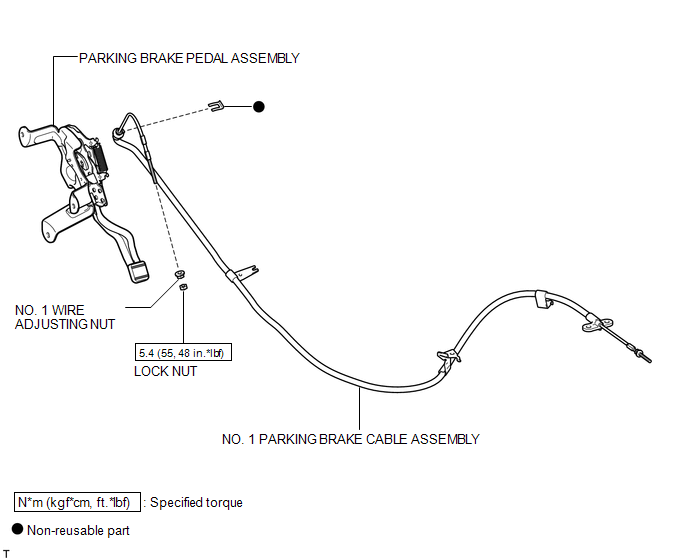
ILLUSTRATION
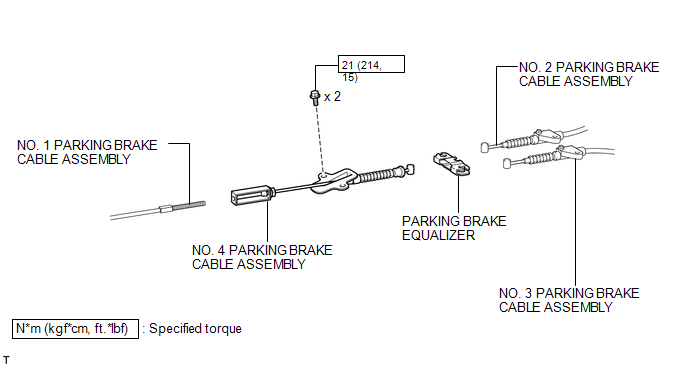
ILLUSTRATION
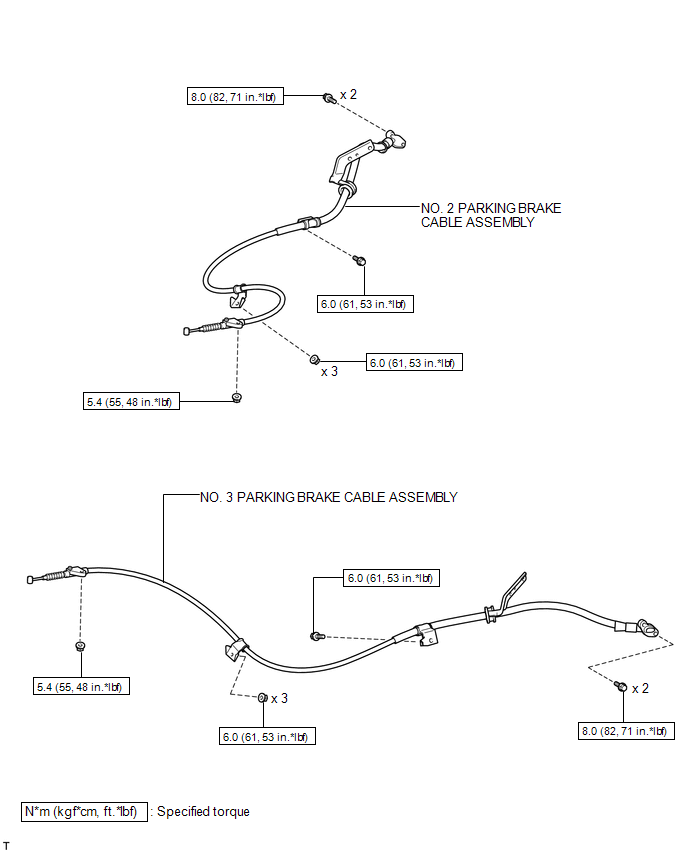

 Removal
REMOVAL
PROCEDURE
1. REMOVE PARKING BRAKE PEDAL ASSEMBLY
HINT:
Refer to the instructions for Removal of the parking brake pedal assembly (See
page ).
2. REMOVE NO. 1 PARKING BRAKE CABLE ASSEMB ...
Other materials about Toyota Venza:
Installation
INSTALLATION
PROCEDURE
1. INSTALL FRONT DOOR LOCK ASSEMBLY
NOTICE:
When reusing the removed front door lock assembly, replace the door
lock wiring harness seal on the connector with a new one.
Do not allow grease or dust to adhere to the do ...
Removal
REMOVAL
PROCEDURE
1. REMOVE FRONT DOOR SCUFF PLATE LH
(a) Disengage the 3 clips, 7 claws and guide, and remove the front door
scuff plate LH.
2. REMOVE COWL SIDE TRIM SUB-ASSEMBLY LH
...
Torque Converter And Drive Plate
Inspection
INSPECTION
PROCEDURE
1. INSPECT TORQUE CONVERTER ASSEMBLY
(a) Inspect the one-way clutch.
(1) Press on the serrations of the stator with a finger and rotate it.
Check that it rotates smoothly when turned clockwise and locks whe ...

0.1578