
Toyota Venza: Auxiliary boxes
►Type A (driver’s side instrument panel)
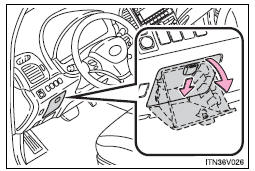
Push down the knob.
►Type B (front console)
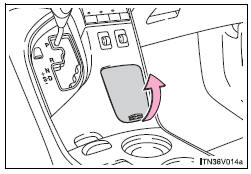
Lift the lid.
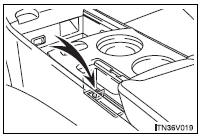
►Type C (front console)
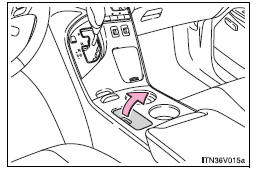
Lift the lid.
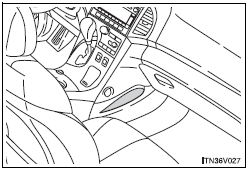
►Type D (front passenger’s side instrument panel)
- Coin holder (type A)
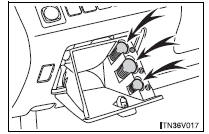
Nickels, quarters and dimes can be stored separately.
- Cable pass-through (type B and C)
►Type B
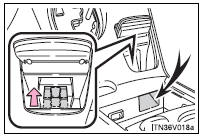
The auxiliary boxes of the front console are provided with a hole that allows cables to be passed from the power outlet and AUX port/USB port.
For type B, push in the push bar before routing the cables. Otherwise the connector end may get stuck.
► Type C
CAUTION
- While driving (type A, B and C)
Keep the auxiliary boxes closed.
Injuries may result in the event of sudden braking, sudden swerving or an accident.
 Bottle holders
► For front seats
► For rear seats
NOTICE
- Items that should not be stowed in the bottle holders
Put the cap on before stowing a bottle. Do not place open bottles in the bot ...

Other materials about Toyota Venza:
Diagnosis System
DIAGNOSIS SYSTEM
1. DESCRIPTION
When troubleshooting OBD II (On-Board Diagnostics) vehicles, an OBD
II scan tool (complying with SAE J1987) must be connected to the DLC3 (Data
Link Connector 3) of the vehicle. Various data in the vehicle ECM ( ...
Inspection
INSPECTION
PROCEDURE
1. INSPECT PRELOAD
(a) Using SST and a torque wrench, measure the preload of the backlash
between the driven pinion and ring gear.
SST: 09326-20011
Preload (at Starting):
Item
P ...
Voice Guidance does not Function
PROCEDURE
1.
CHECK VOICE GUIDANCE SETTING
(a) Check that the voice guidance setting is not off.
OK:
Voice guidance setting is not off.
NG
CHANGE THE VOICE GUIDANCE SETTING TO ON
...

0.1321