
Toyota Venza: Parts Location
PARTS LOCATION
ILLUSTRATION
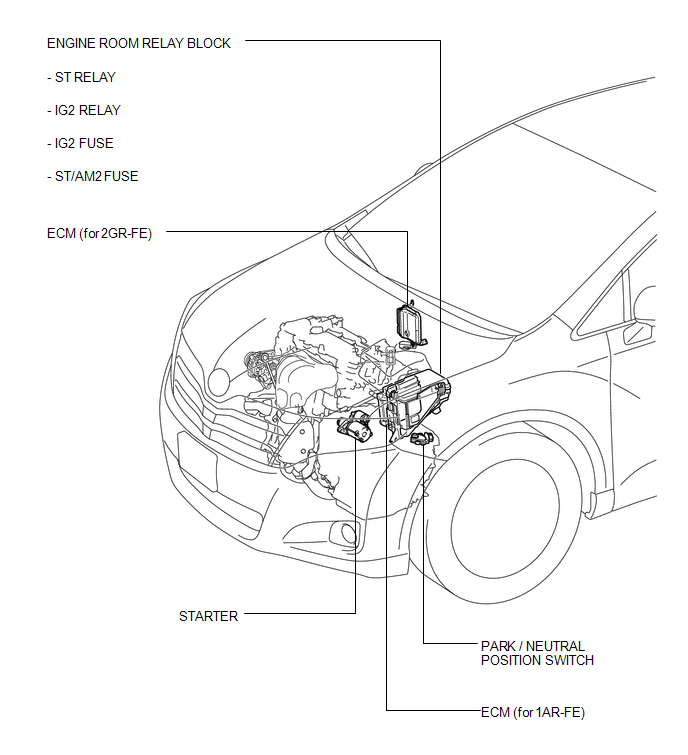
ILLUSTRATION
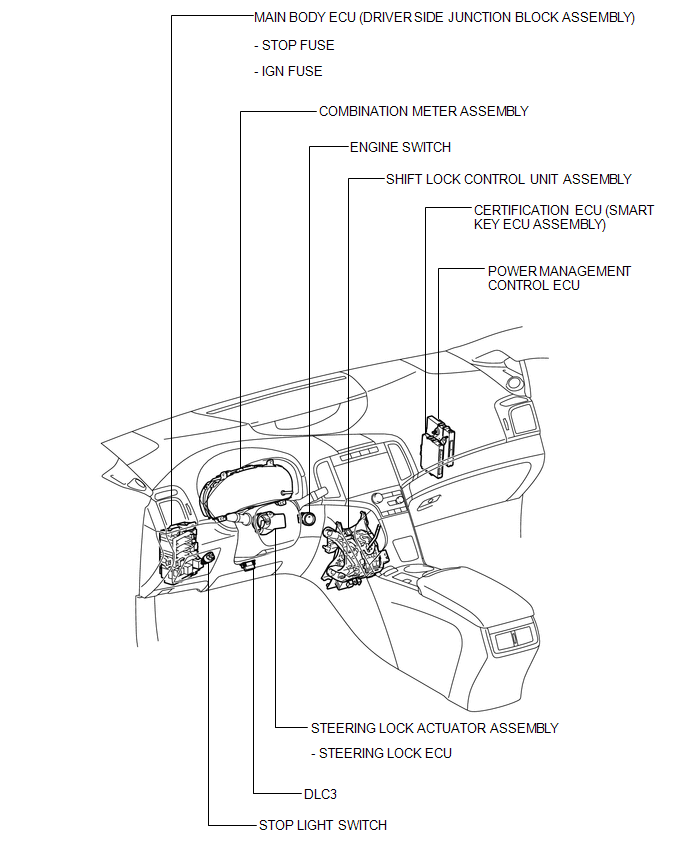
 Precaution
PRECAUTION
1. WHEN DISCONNECTING CABLE FROM NEGATIVE BATTERY TERMINAL
NOTICE:
When disconnecting the cable from the negative (-) battery terminal, initialize
the following systems after the cable ...
 System Diagram
SYSTEM DIAGRAM
Communication Table
Transmitting ECU
(Transmitter)
Receiving ECU
(Receiver)
Signal
Communication Method
Combinati ...
Other materials about Toyota Venza:
On-vehicle Inspection
ON-VEHICLE INSPECTION
PROCEDURE
1. CHECK RADIATOR CAP SUB-ASSEMBLY
(a) Measure the valve opening pressure.
(1) If there are water stains or foreign matter on rubber packings 1, 2 or 3,
clean the part(s) with water and finger scouring.
(2) Check that r ...
Installation
INSTALLATION
PROCEDURE
1. INSTALL NO. 2 WINDSHIELD GLASS STOPPER
(a) Using a brush or a sponge, coat the application area of 2 new No. 2 windshield
glass stoppers with Primer G.
NOTICE:
Do not apply too much primer.
Allow the primer to dry f ...
Follow the correction procedures. (smart key system)
After taking the specified steps to correct the suspected problem, check that
the warning light turns off.
- If the malfunction indicator lamp comes on while driving
First check the following:
• Is the fuel empty?
If it is, fill the fuel tan ...

0.1756