
Toyota Venza: Components
COMPONENTS
ILLUSTRATION
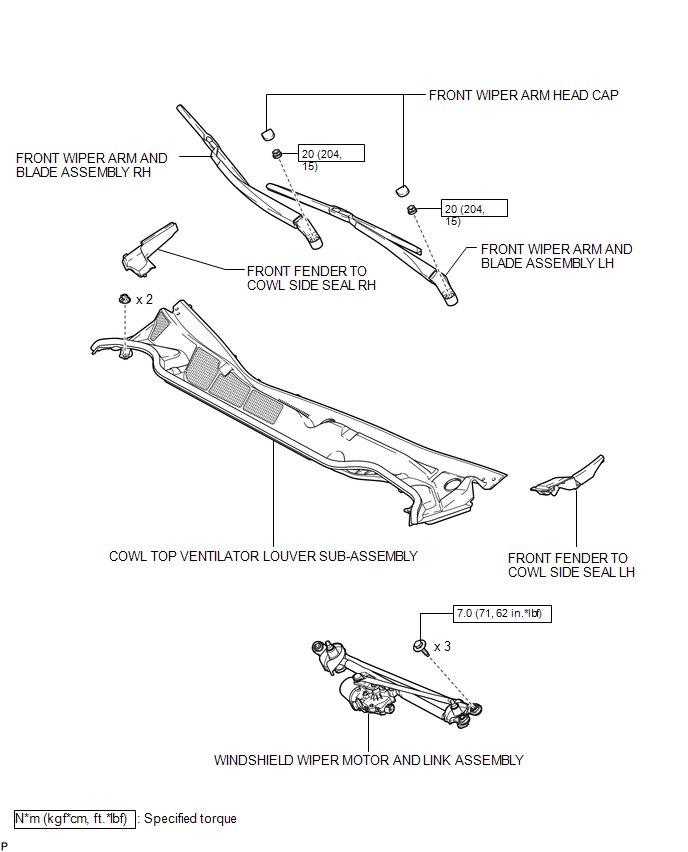
ILLUSTRATION
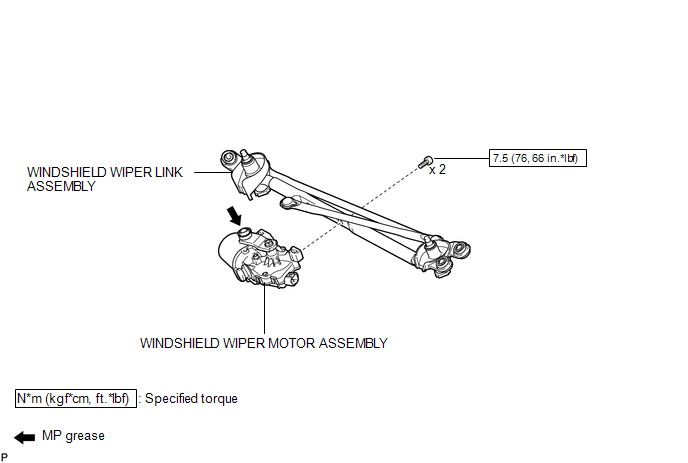

 On-vehicle Inspection
ON-VEHICLE INSPECTION
PROCEDURE
1. INSPECT WINDSHIELD WIPER MOTOR ASSEMBLY
(a) for RH Side
(1) Operate the windshield wiper motor assembly.
...
Other materials about Toyota Venza:
GCWR, TWR and Unbraked TWR
Confirm that the gross trailer weight, gross combination weight, gross vehicle
weight, gross axle weight and tongue weight are all within the limits.
- GCWR* and TWR*
► Vehicles without towing package
► Vehicles with towing package
...
Open in Driver Side Electrical Antenna Circuit (B27A1)
DESCRIPTION
The certification ECU (smart key ECU assembly) generates a request signal and
sends it to the electrical key oscillator built into the front door outside handle
assembly (for driver side) at 0.25-second intervals. To detect a key near the driv ...
Terminals Of Ecm
TERMINALS OF ECM
1. CHECK ECM
Terminal No. (Symbol)
Wiring Color
Terminal Description
Condition
Specified Condition
A49-7 (TC) - B58-104 (E1)
V - BR
Terminal TC o ...

0.1259