
Toyota Venza: Components
COMPONENTS
ILLUSTRATION
.png)
ILLUSTRATION
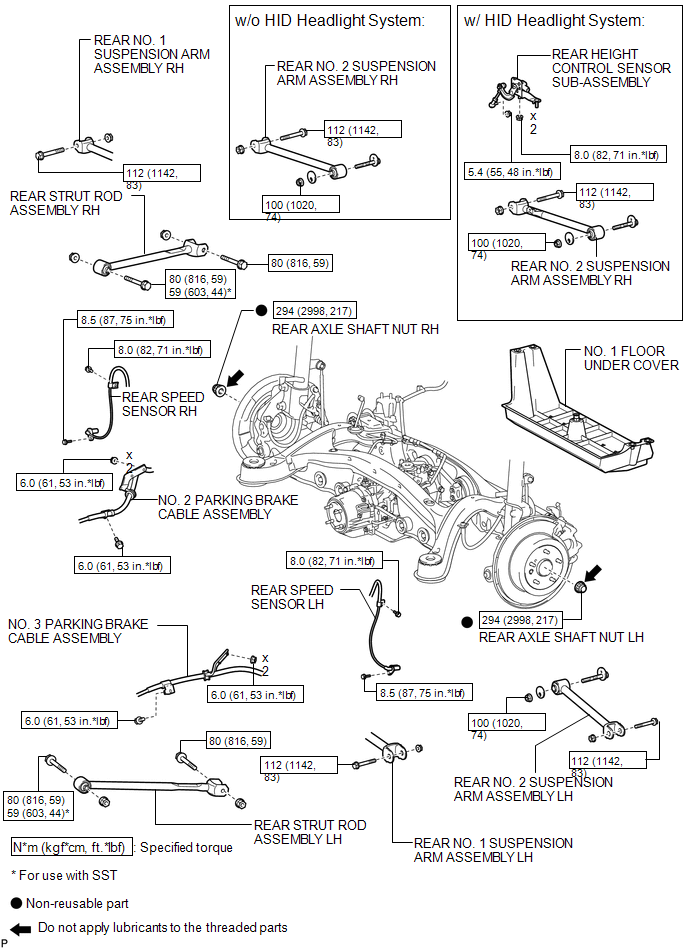
ILLUSTRATION
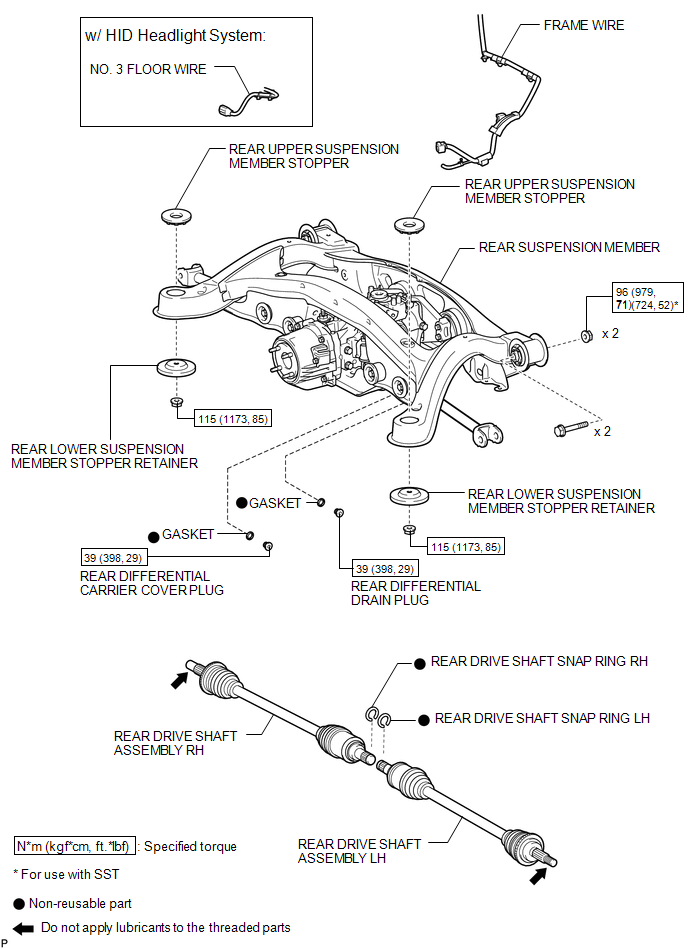
ILLUSTRATION
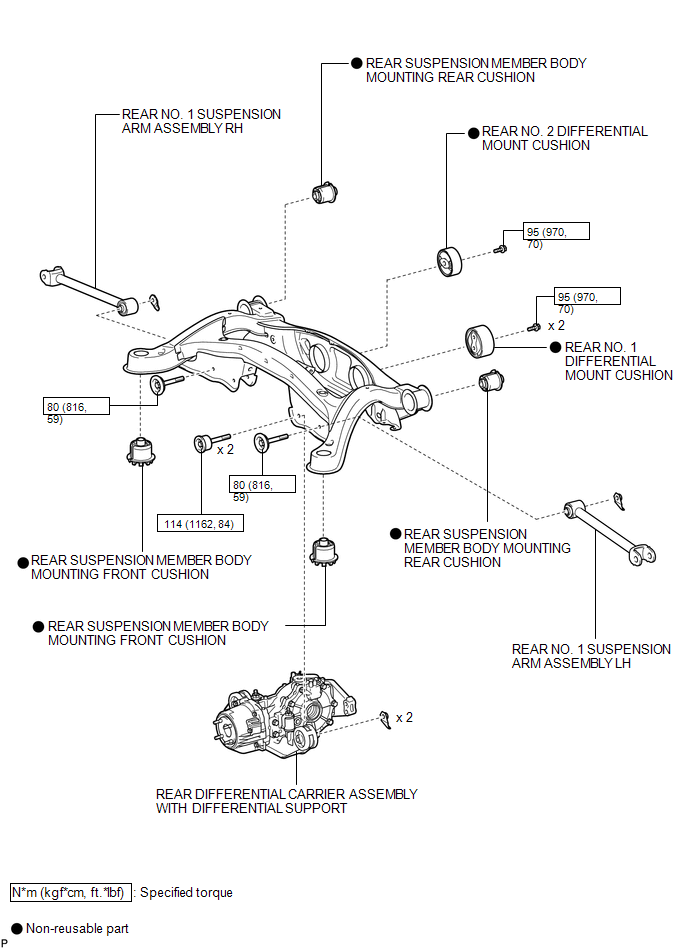
ILLUSTRATION
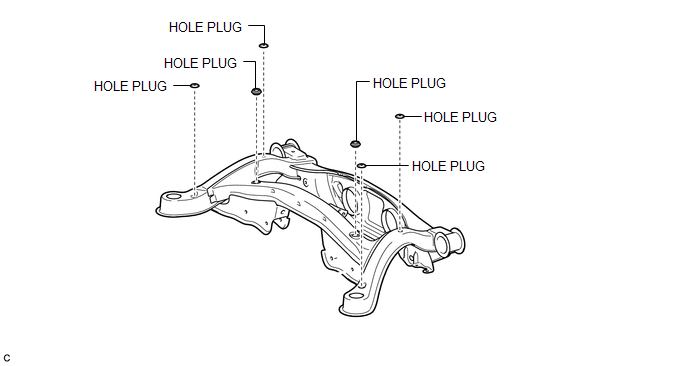
ILLUSTRATION
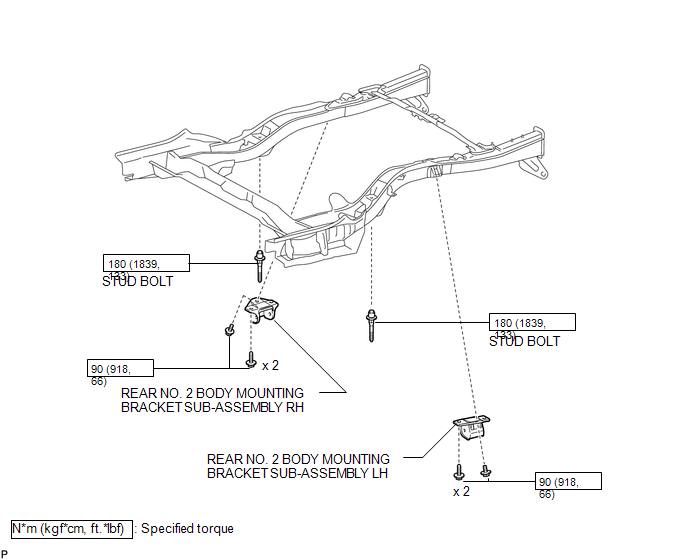

 Removal
REMOVAL
PROCEDURE
1. REMOVE REAR WHEELS
2. REMOVE CENTER EXHAUST PIPE ASSEMBLY
(a) Remove the center exhaust pipe assembly.
HINT:
Refer to the instructions for Removal of the exhaust pipe (See p ...
Other materials about Toyota Venza:
Dtc Check / Clear
DTC CHECK / CLEAR
1. CHECK FOR CERTIFICATION ECU (SMART KEY ECU ASSEMBLY) DTC
(a) Connect the Techstream to the DLC3.
(b) Turn the engine switch on (IG).
(c) Turn the Techstream on.
(d) Enter the following menus: Body Electrical / Smart Key / Trouble Code ...
Motor Rotation Angle Sensor Malfunction (C1528)
DESCRIPTION
The motor rotation angle sensor detects the motor rotation angle and sends this
information to the power steering ECU.
DTC No.
DTC Detection Condition
Trouble Area
C1528
Motor rotatio ...
Bank 1 Air-Fuel Ratio Imbalance (P219A,P219C-P219F)
DESCRIPTION
Refer to DTC P0300 (See page ).
Refer to DTC P2195 (See page ).
DTC No.
DTC Detection Condition
Trouble Area
P219A
The difference in air fuel ratios between the cylinders exceeds the ...

0.1328