
Toyota Venza: System Diagram
SYSTEM DIAGRAM
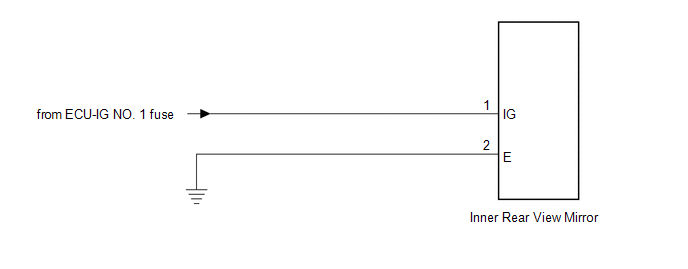
 Components
COMPONENTS
ILLUSTRATION
...
 Calibration
CALIBRATION
1. SELECT COMPASS DISPLAY MODE
(a) The AUTO switch allows selection of the compass display.
2. PERFORM CALIBRATION
(a) Because each vehicle has its own magnetic field, calibration shou ...
Other materials about Toyota Venza:
System Diagram
SYSTEM DIAGRAM
Communication Table
Sender
Receiver
Signal
Communication Method
Center airbag sensor assembly
Combination meter assembly
Front seat inner belt buckl ...
Lost Communication with ECM / PCM "A" (U0100)
DESCRIPTION
The engine control unit communicates with the TCM using the Controller Area Network
(CAN).
If there is a problem in this communication, the TCM sets a DTC.
DTC No.
DTC Detection Condition
Trouble Area
...
Power Mirror cannot be Adjusted with Power Mirror Switch
SYSTEM DESCRIPTION
The main body ECU (driver side junction block assembly) detects the mirror adjust
switch status and sends the signal to the outer mirror control ECU assembly via
CAN communication. On receiving the signal, each outer mirror control ECU ...

0.1437