
Toyota Venza: Components
COMPONENTS
ILLUSTRATION
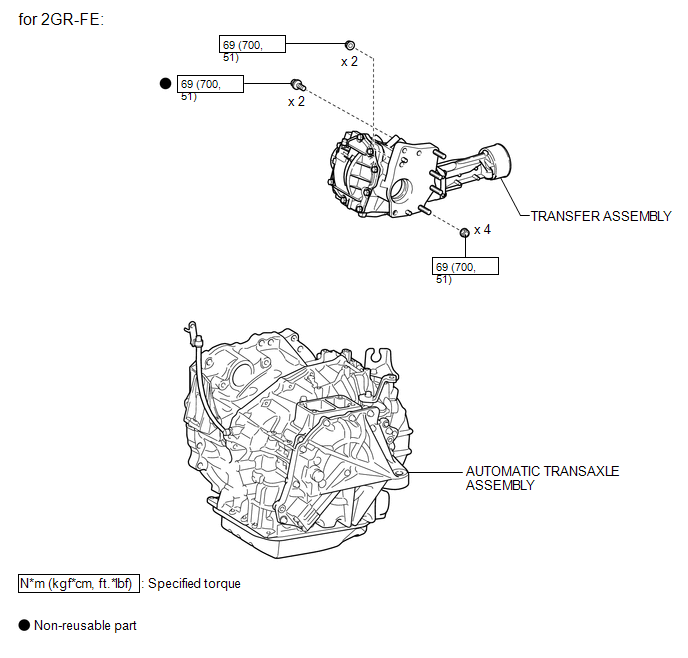
ILLUSTRATION
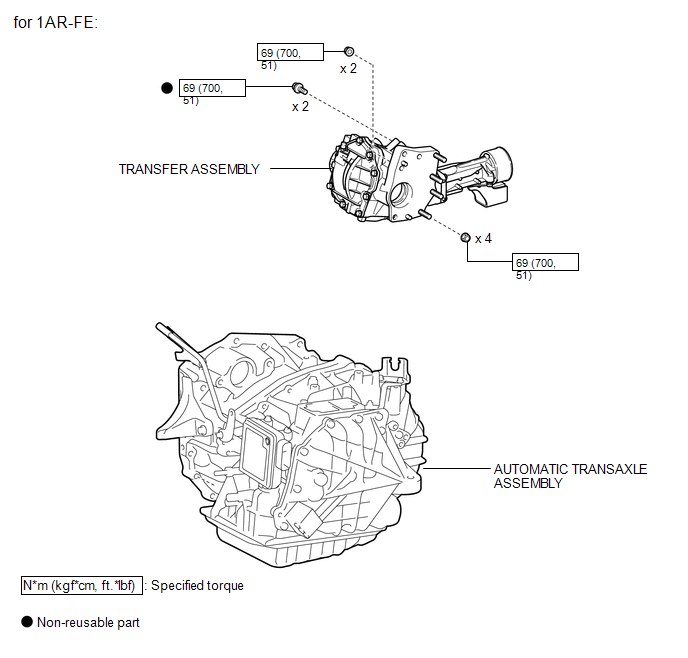
ILLUSTRATION
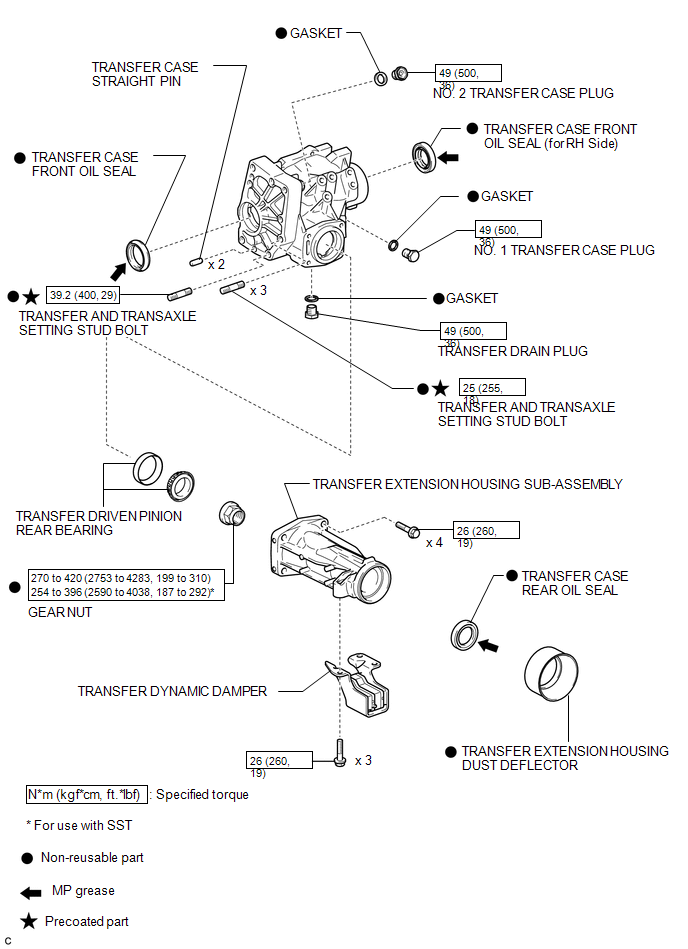
ILLUSTRATION
.png)

 Removal
REMOVAL
PROCEDURE
1. REMOVE AUTOMATIC TRANSAXLE ASSEMBLY (for 2GR-FE)
See page
2. REMOVE AUTOMATIC TRANSAXLE ASSEMBLY (for 1AR-FE)
See page
3. REMOVE TRANSFER ASSEMBLY
(a) Remove ...
Other materials about Toyota Venza:
Relay
On-vehicle Inspection
ON-VEHICLE INSPECTION
PROCEDURE
1. INSPECT TAILLIGHT RELAY (TAIL)
(a) Remove the taillight relay from the main body ECU (driver side junction
block assembly).
(b) Measur ...
Speed Signal Malfunction (B15C2)
DESCRIPTION
The navigation receiver assembly receives a vehicle speed signal from the combination
meter assembly and information from the navigation antenna assembly, and then adjusts
the vehicle position.
The navigation receiver assembly stores this DTC ...
Assist Map Number Mismatch (C1582)
DESCRIPTION
When an incorrect ECM or brake actuator assembly (skid control ECU) is installed
after the assist map has been recorded in the power steering ECU, then DTC C1582
is stored because the data does not match the vehicle specifications.
...

0.1302