
Toyota Venza: Components
COMPONENTS
ILLUSTRATION
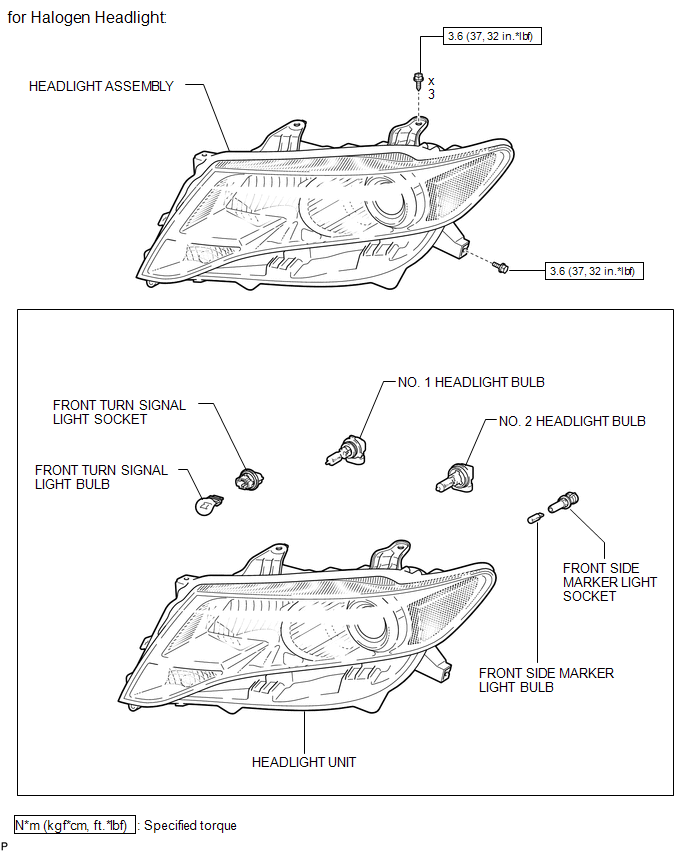
ILLUSTRATION
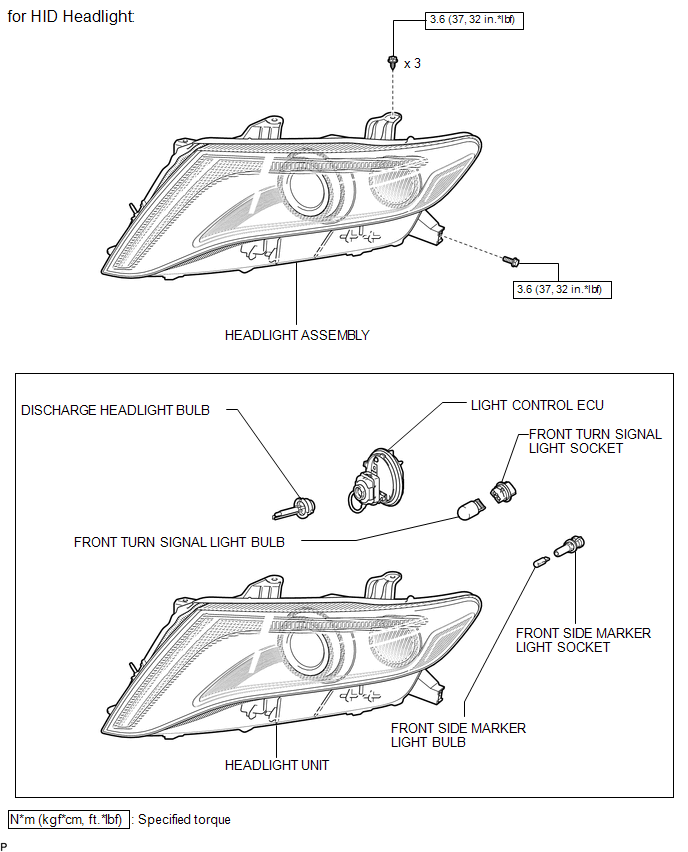

 Disassembly
DISASSEMBLY
PROCEDURE
1. REMOVE NO. 2 HEADLIGHT BULB (for Halogen Headlight)
(a) Turn the No. 2 headlight bulb in the direction indicated by the arrow
shown in the illustration, and ...
Other materials about Toyota Venza:
Removal
REMOVAL
CAUTION / NOTICE / HINT
HINT:
Use the same procedure for the RH side and LH side.
The procedure listed below is for the LH side.
PROCEDURE
1. PRECAUTION
CAUTION:
Be sure to read Precaution thoroughly before servicing (See page
...
Installation
INSTALLATION
PROCEDURE
1. INSPECT TORQUE CONVERTER ASSEMBLY
2. INSTALL TORQUE CONVERTER ASSEMBLY
(a) Engage the splines of the input shaft and turbine runner.
(b) Engage the splines o ...
Customize Parameters
CUSTOMIZE PARAMETERS
HINT:
The following items can be customized.
NOTICE:
After confirming whether the items requested by the customer are applicable
or not for customization, perform customizing operations.
Be sure to record the current se ...

0.1251