
Toyota Venza: Vehicle interior
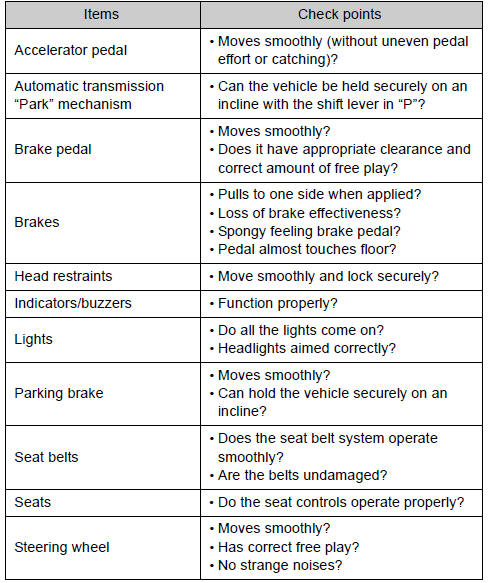

 Vehicle exterior
CAUTION
- If the engine is running Turn off the engine and ensure that there is
adequate ventilation before performing maintenance checks. ...
Other materials about Toyota Venza:
Removal
REMOVAL
PROCEDURE
1. REMOVE NO. 1 ENGINE COVER SUB-ASSEMBLY
2. REMOVE CAMSHAFT TIMING OIL CONTROL VALVE ASSEMBLY (for Exhaust Side)
(a) Disconnect the oil control valve connector.
(b) Remove the ...
Fail-safe Chart
FAIL-SAFE CHART
1. HID Headlight System
(a) Light Control ECU
(1) The light control ECU stops illuminating the HID headlights when any of the
following abnormalities are detected.
Condition
Content
Open in output si ...
System Description
SYSTEM DESCRIPTION
1. FUNCTION DESCRIPTION
(a) Steering Cooperative Control
(1) Enhanced-VSC performs coordinated control consisting of VSC and electronic
power steering. By integrating these preventive safety functions, Enhanced-VSC ensures
excellent d ...

0.1326