
Toyota Venza: Components
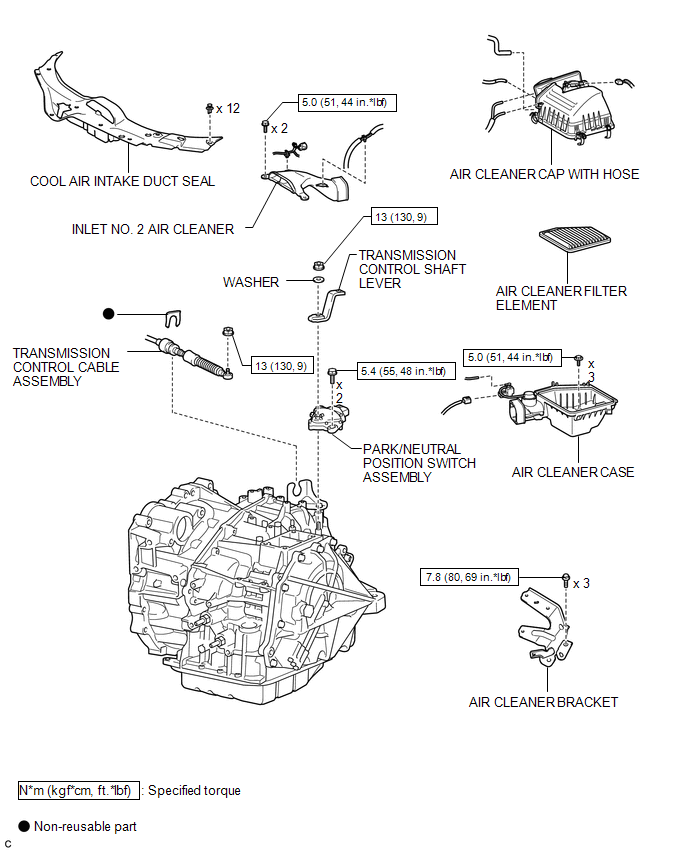
COMPONENTS
ILLUSTRATION

 On-vehicle Inspection
ON-VEHICLE INSPECTION
PROCEDURE
1. INSPECT PARK/NEUTRAL POSITION SWITCH ASSEMBLY OPERATION
(a) Apply the parking brake.
(b) Turn the ignition switch to ON.
(c) Depress the brake pedal and check t ...
Other materials about Toyota Venza:
Test Mode Procedure
TEST MODE PROCEDURE
1. WARNING LIGHT AND INDICATOR LIGHT INITIAL CHECK
(a) Release the parking brake.
NOTICE:
Before releasing the parking brake, move the shift lever to P for safety.
HINT:
When the parking brake is applied or the brake fluid level is lo ...
Initialization
INITIALIZATION
1. RESET BACK DOOR CLOSE POSITION (w/ POWER BACK DOOR SYSTEM)
NOTICE:
Perform initialization of the power back door system (power back door ECU initialization)
if one of the following is performed:
The cable is disconnected from the ...
Operation Check
OPERATION CHECK
1. NOTICE WHEN CHECKING THE FOLLOWING
(a) Power door lock/unlock function:
This wireless door lock control function operates only when the following 3 conditions
are met:
(1) There is no key in the ignition key cylinder.
(2) All doors ar ...

0.1362