
Toyota Venza: Components
COMPONENTS
ILLUSTRATION
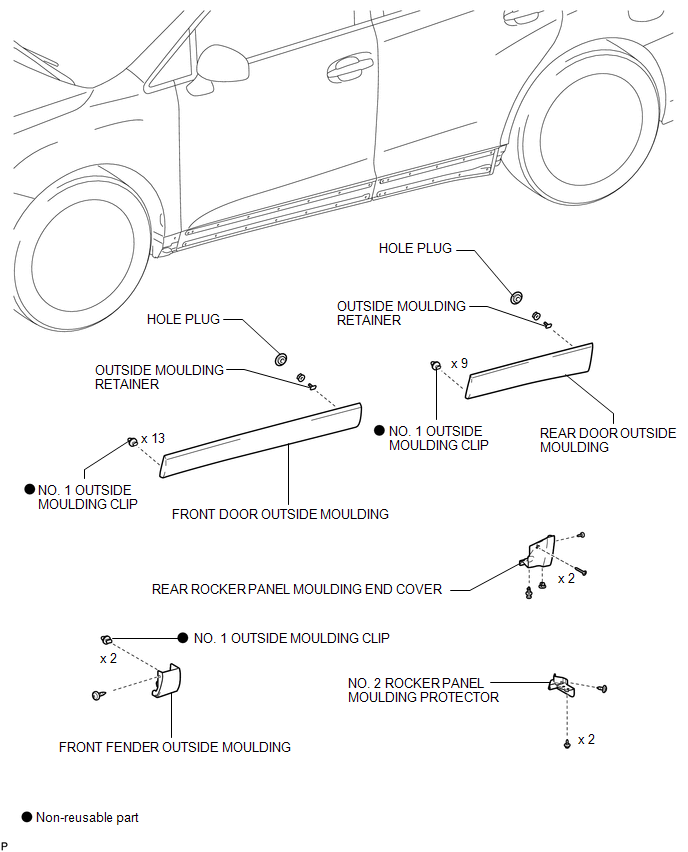
 Side Mudguard
...
 Installation
INSTALLATION
CAUTION / NOTICE / HINT
HINT:
When installing the mouldings, heat the vehicle body and mouldings using a heat
light.
Heating Temperature
Item
Temperature
...
Other materials about Toyota Venza:
Terminals Of Ecu
TERMINALS OF ECU
1. CHECK POWER BACK DOOR ECU (POWER BACK DOOR MOTOR UNIT)
(a) Disconnect the L20 ECU connector.
(b) Measure the voltage and resistance according to the value(s) in the table
below.
Tester Connection
Wiring Color
...
Inspection
INSPECTION
PROCEDURE
1. INSPECT FRONT POWER SEAT SWITCH LH (w/o Seat Position Memory System)
(a) Measure the resistance between the terminals when each switch is
operated.
Standard Resistance:
Slide Switch
Tester Co ...
Front Passenger Side Door Entry Lock and Unlock Functions do not Operate
DESCRIPTION
When the entry lock and unlock functions do not operate only for the front passenger
door, an error in output request codes from the front passenger door or malfunction
in the front door outside handle assembly is suspected. If the entry funct ...

0.1237