
Toyota Venza: Starting System
Parts Location
PARTS LOCATION
ILLUSTRATION
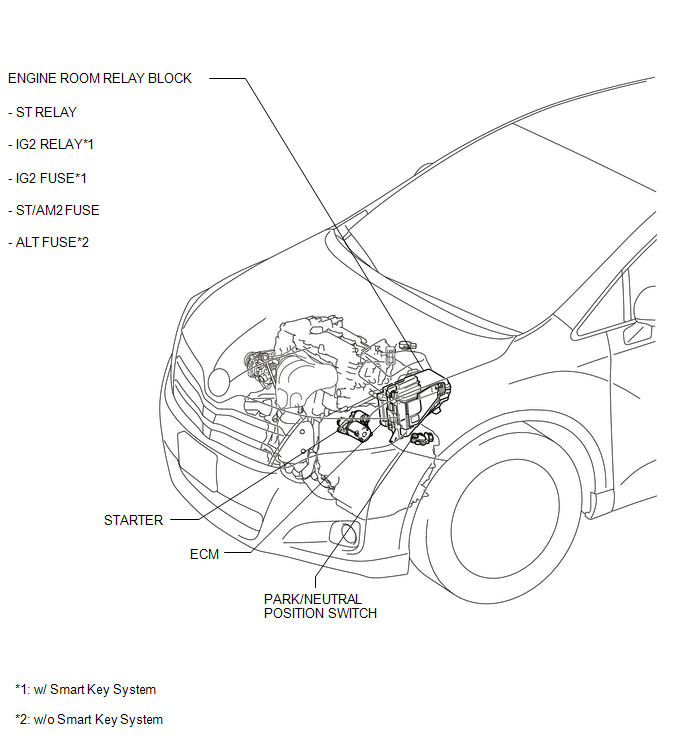
ILLUSTRATION
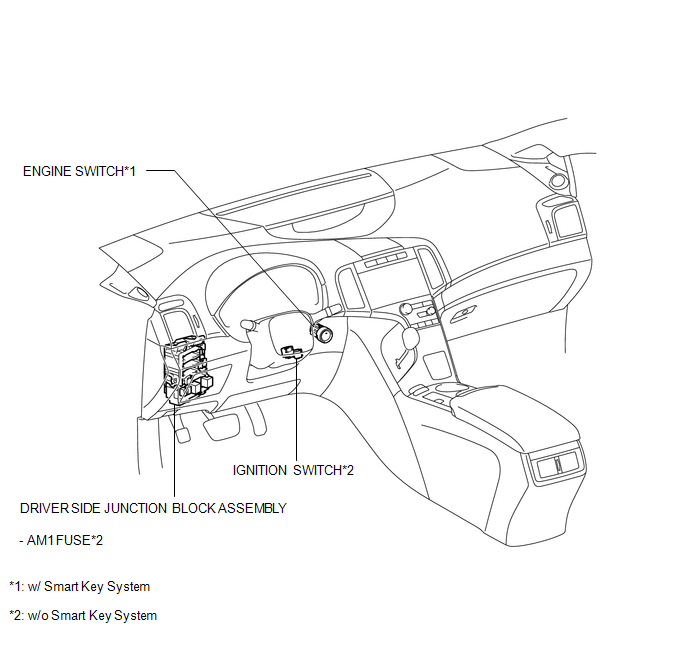
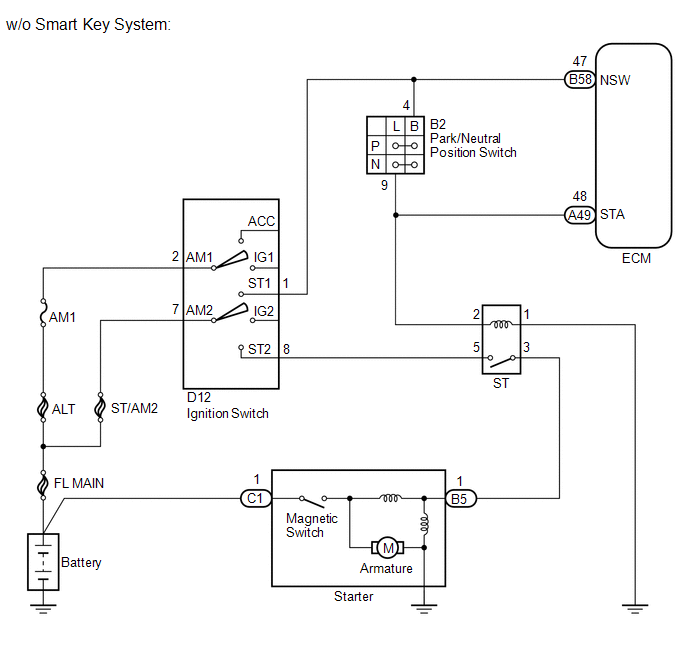
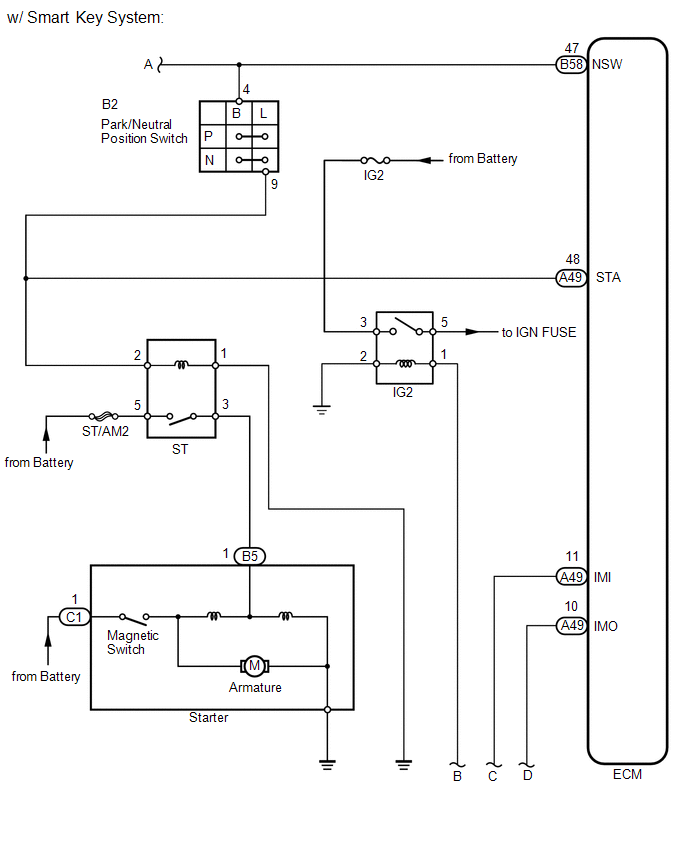
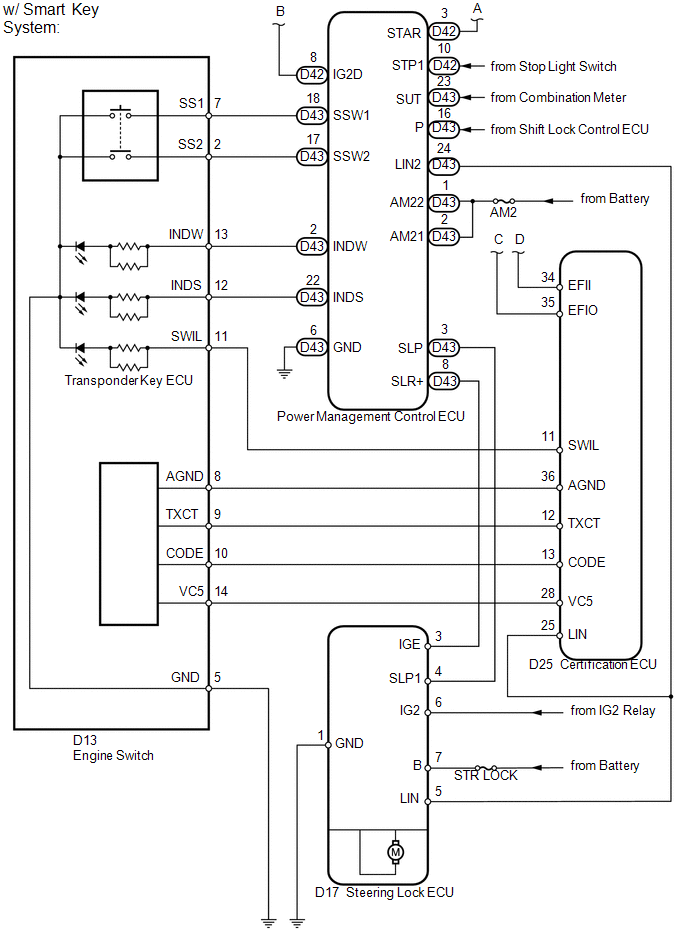
System Diagram
SYSTEM DIAGRAM
 Installation
INSTALLATION
PROCEDURE
1. INSTALL STARTER ASSEMBLY
(a) Install the starter with the 2 bolts.
Torque:
37 N·m {377 kgf·cm, 27 ft·lbf}
...
 Cruise Control
...
Other materials about Toyota Venza:
Lost Communication with Rear Airbag Sensor LH (B1637/82,B1638/82,B1647/82,B1697/82,B1698/82)
DESCRIPTION
The side collision sensor LH circuit (to determine deployment of the front seat
side airbag assembly LH and curtain shield airbag assembly LH) is composed of the
center airbag sensor assembly, rear airbag sensor LH and side airbag sensor LH.
...
Interior lights list
Your Toyota is equipped with the illuminated entry system to assist in entering
the vehicle. Due to the function of the system, the lights shown in the following
illustration automatically turn on/off according to the presence of the electronic
key (vehi ...
Problem Symptoms Table
PROBLEM SYMPTOMS TABLE
HINT:
Use the table below to help determine the cause of problem symptoms.
If multiple suspected areas are listed, the potential causes of the symptoms
are listed in order of probability in the "Suspected Area" ...

0.1525